How do I place an order on the website?
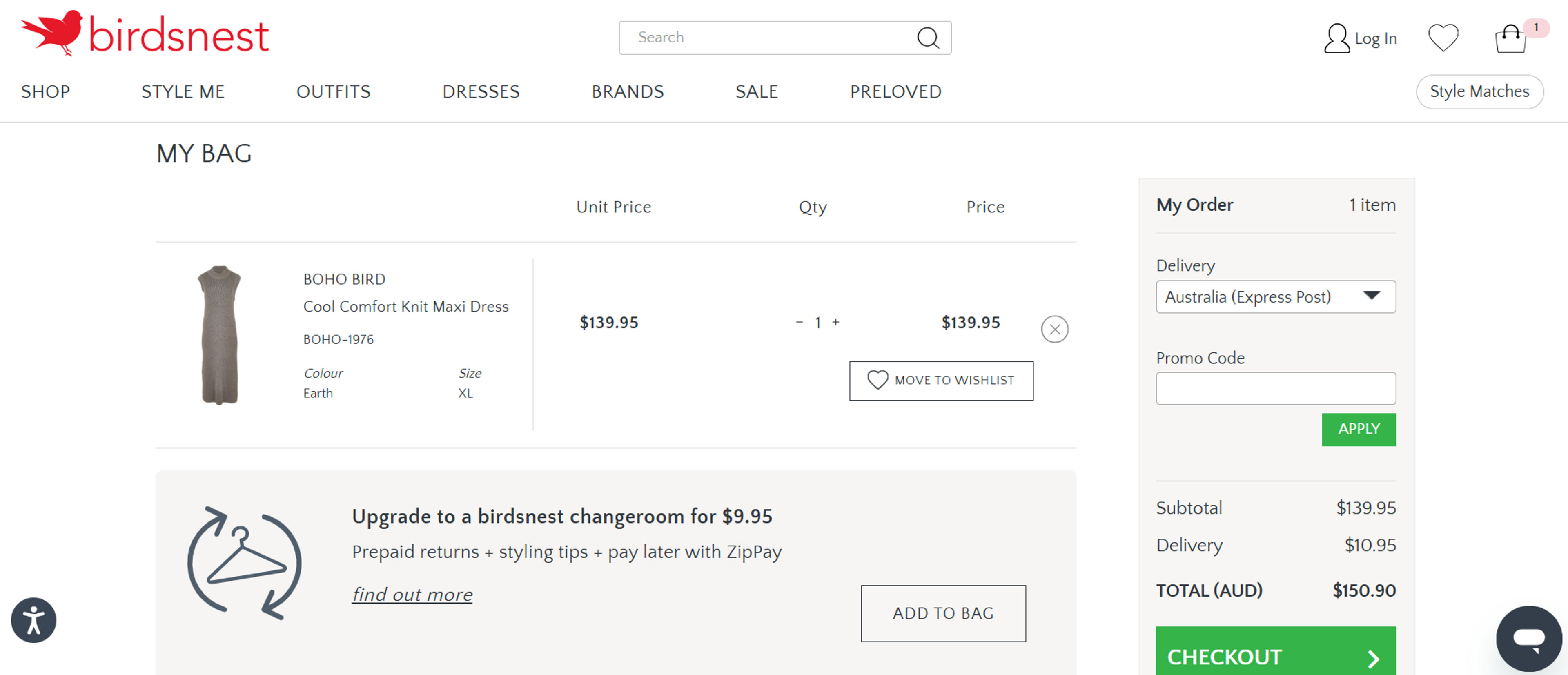
Start by selecting your size and colour, then click 'Add to bag'. From the bag page, choose delivery, enter a promo code, and select extras like gift wrapping or changeroom upgrade. Continue through customer details, delivery and billing steps, and finally choose a payment method. Once the order is placed, a confirmation email will be sent.
What is a Birdsnest changeroom upgrade?
For $9.95, this option lets you try on styles at home with pre-paid returns. It's helpful for those unsure about sizing or wanting to test more than one item. ZipPay users can order up to $1000 worth of clothing without paying upfront. You only pay for the pieces you decide to keep.
How can I check the right size for me?
Each product includes a size guide showing garment and body measurements. Choosing your size updates the listed measurements and images for better accuracy. Customer reviews also help provide feedback on fit and comfort. Sizing information comes directly from the brands and is easy to follow.
What are the available payment options?
Payments can be made with Visa, Mastercard, PayPal, AfterPay, and ZipPay. Gift vouchers, store credit, and PayPal’s pay-in-4 option are also accepted. Multiple payment methods can be used in one transaction if needed. Payment is taken when the order is finalised unless using a service like ZipPay.
How can someone place a Click & Collect order and pay in-store?
To place a Click & Collect order, simply add items to the shopping bag and proceed to checkout. Select “Pick up in store” as the delivery option and choose the preferred store location. In the payment section, select “Pay in store” to complete the order. A notification will be sent when the order is ready for collection.
What should be done if the checkout only shows saved card details?
When logged in and only seeing saved card details, scroll to the bottom of the payment section. Select “Alternative payment methods.” The “Pay in store” option will then appear, allowing the order to be completed without using a saved card.
How does the returns and exchange process work?
Begin by visiting the Returns Portal and entering an email address and order number. Choose the items to return and select a postage option. If an exchange is made within 60 days, a free return label is provided. Follow the prompts to complete the return or exchange.
Can an item be put on hold during an exchange?
Yes, it’s possible to put an item on hold while returning an order for exchange. Select the item for exchange through the Returns Portal. The selected item will be held for up to 21 days while the return is on its way.
What options are available for exchanging an item?
During the exchange process, choose between “Same item, different variant” for changing size or colour, or “Different item” to swap for something else. The different item option allows for exchanges to items of another price, if desired.
How do I return an item I purchased?
Returns are accepted for exchange, refund, or store credit within 365 days. Log in to your account, go to 'Orders & Returns', and follow the steps. If using the pre-paid label, a $9.95 fee applies before printing the form. You may also post items back at your own cost with tracking recommended.