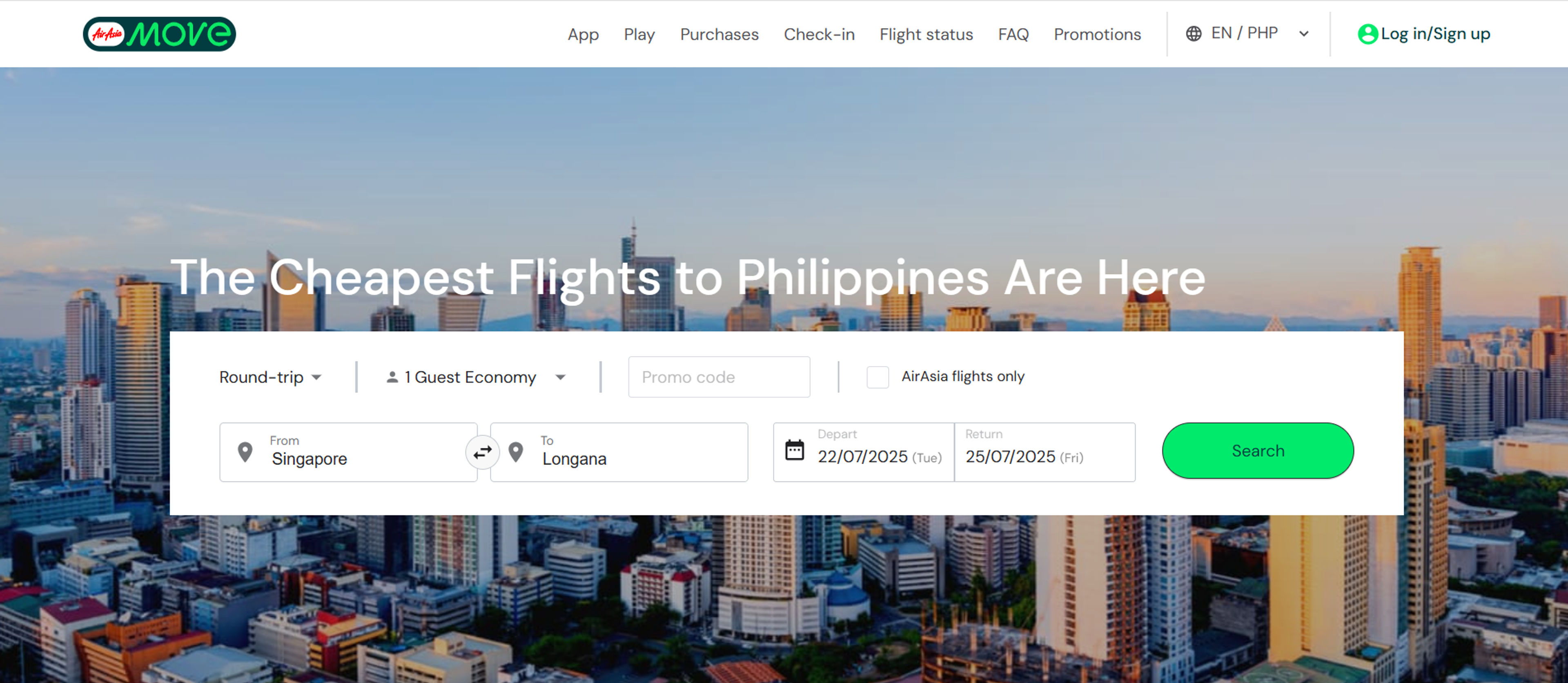
How can I make a flight reservation on AirAsia?
Visit the AirAsia website or download the mobile app on your device. Enter your travel details, such as origin, destination, travel dates, number of passengers, and the promo code. The website will display available flights along with their fares. Select your preferred flight and follow the prompts to complete the booking process.
How do I pay for my bookings?
The payment methods for passengers on AirAsia are credit and debit cards (MasterCard, Visa, JCB, and American Express cards), Unionpay, and AirAsia points (only available for your initial flight booking) to make a payment. To save money before booking your flights, use the AirAsia promo code to pay online.
How can I check the flight status?
To check the flight status of your booking, visit the AirAsia website and navigate to the “Flight status” section. Enter your flight details or booking reference number to retrieve the current status of your flight.
Can I make changes to my flight bookings?
Yes, changes to flight bookings can usually be made, subject to the rules and conditions of your ticket. Visit the “My Bookings” section on the AirAsia website, enter your booking details, and follow the instructions to make changes such as date changes, name corrections, and more. Please note that fees and fare differences may apply.
How many weekly AirAsia flights are there to the Philippines?
There are 740 flights per week to the Philippines. Find amazing deals on flights to well-known Philippine locations like Taguig and Makati. You may travel to the Philippines and take advantage of all it has to provide at reasonable prices.
How will I get my booking confirmation for flight and hotel?
You will get two separate emails. One email is for your flight booking and one email is for your hotel booking. Both emails will be sent to your registered email address after your payment is complete.
What should I do if I cannot find my confirmation emails?
Do not worry. You can also see your confirmed bookings in the "Purchases" section of the app or website.
Are all hotel add-ons in a flight booking non-cancellable and non-refundable?
Yes. If you booked a hotel as an add-on with your flight, the booking cannot be cancelled or refunded.
Can I cancel a hotel-only booking?
Yes, you can cancel a hotel-only booking. But the refund depends on the hotel’s policy. Some hotels may allow refunds, and some may not.
Where can I check my past or current bookings?
You can check all your bookings in the "Purchases" section of the app or website.